Exporting Report Builder Report Results
Report results are displayed in a pop-up window. You can export Report Builder reports to several formats:
- Microsoft® Excel
- Tab- and Comma-delimited text files
- XML - Extensible Markup Language. A textual data format with support for other languages though use of Unicode.
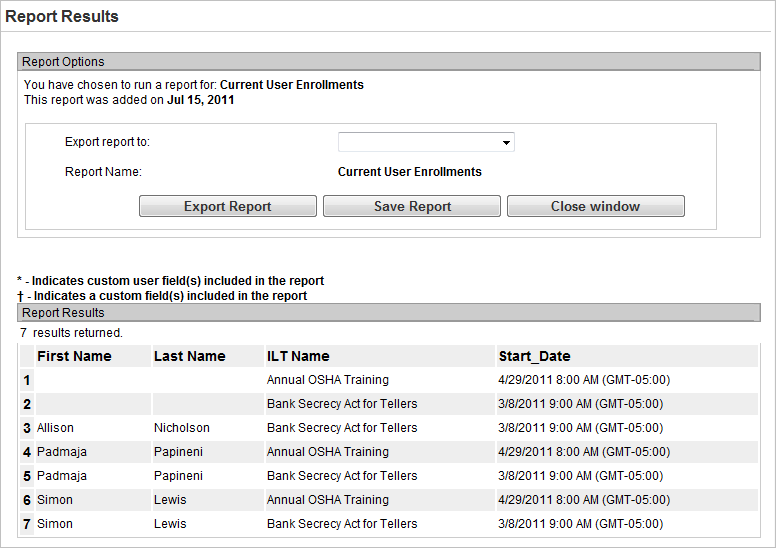
To export your results, in the results pop-up window:
- Select one of the following from the Export report to drop-down list:
- Save results to Microsoft Excel
- View results in Microsoft Excel
- Comma-delimited text file
- Tab-delimited text file
- XML Format - the XML format contains large amounts of data and may exceed the 5 Mb file size restriction.
- Click Export report. Depending on what export file type you selected above, a different pop-up message opens .
- If you selected Microsoft Excel, the software application opens and the data is pre-populated in a worksheet. Save the file to the appropriate location on your hard drive or network.
- If you selected Comma-delimited, tab delimited, or XML, the data opens in a window. You can then copy and paste this data into the appropriate application. Note that the XML format contains large amounts of data and may exceed the 5 Mb file size restriction.
- Click Close Window when you are done with the report results window.
 Related Topics

Copyright © 2010-2018, Oracle and/or its affiliates. All rights reserved.